

BOB Player license activation
Download BOB Player APK — Android devices only.
BOB Player Activation
Activate the application on one supported device with a 12-month or lifetime license. Install and test BOB Player before purchasing, then use the device information shown in the app to complete your activation request.
Choose Your Activation Period
Select a 12-month license for one year, or choose lifetime activation according to the applicable product terms. Each license is intended for one supported device.
Checkout continues on the connected store you choose. The displayed license range is a guide; confirm the selected plan, final price and available payment method on that payment page.
Price range: € 6,00 through € 9,99


Check Your Device Before Purchasing
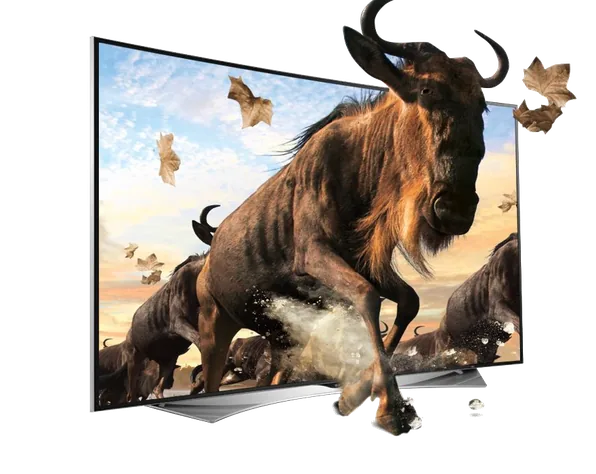
BOB Player is available on supported Smart TVs and compatible devices. App availability and playback formats can vary by model and software version. Check your device app store and use the 7-day trial, where available, to test your setup before buying.
What Your Activation Includes
Your payment is for activation of the BOB Player application only. Channels, playlists, films and streaming subscriptions are not included. You must supply your own lawful media or playlist. Activation will not fix an unavailable playlist or an unsupported stream format.
Need help activating IBO Player?
Visit our official IBO Player activation partner to review supported devices and available license options.
Prepare Your Device Information
Open BOB Player and locate the MAC address displayed in the app. Confirm the exact application name: BOB Player and BOB Pro are different products. Choose the matching license before paying, and enter your device information accurately on the destination checkout page.

Download and Install BOB Player
The APK link on this page is for Android-compatible devices. Samsung, LG and Apple devices use their own app-store installation options; an Android APK is not suitable for every platform.
The application download directory lists several players. Select BOB Player and the appropriate platform rather than downloading a different application.
How to Complete Your Activation
- Install BOB Player on the device you intend to activate and test it with your own setup.
- Select your preferred payment route and license period.
- Check the device information and contact details required by that checkout.
- Review the total amount before payment, keep your order confirmation and follow the instructions provided for your order.

Try the Application First
Use the trial to confirm that the app opens, recognizes your device and plays your own content correctly. Purchase only when the application works with your setup; activation does not provide a playlist.

Playlist Troubleshooting
Check the playlist URL for missing characters and confirm that the source is active. For an expired subscription, inaccessible content or a provider-side problem, contact your independent content provider. For application guidance, use the BOB Player FAQs.
Before Switching Devices
Verify the MAC address shown in BOB Player on the device you plan to use. Do not assume that activation can be transferred to another device. Check the selected product terms or request clarification before placing an order.
Using BOB Player
BOB Player provides a TV-friendly interface for playing your own media and playlists. Available playback options and supported formats depend on the application version and device. It is not a source of broadcast content or a replacement for an independent content subscription.
For practical setup help, review the app guidance before buying. Testing your own playlist during the trial is more useful than assuming every device will support every media format.
Activation Help and Purchasing Terms
If you need help after payment, contact the store shown on your order confirmation and include your order reference, application name and device details. Avoid posting device information publicly. Incorrect or incomplete information may delay your activation request.
Review the policies on the store where you complete payment. This site’s Terms of Service and Terms of Online Sale are available below; the purchase page provides the terms applicable to that checkout.
Visa, Mastercard, Apple Pay and Google Pay logos are shown below. Available payment methods and the final total are confirmed on the selected checkout page.
